Showing posts with label Silhouette. Show all posts

Monday, May 16, 2016

Spring Swag | Free Digital Cut File

Hi friends Laura here sharing a new digital cut file today!  It is available in Silhouette Studios, PNG, SVG and PDF formats.

https://app.box.com/s/5o7c6q8z6wg4z9zzz7gxfo4fgjyzf43w

As always, click on the image to be taken to my download page.

Thanks for visiting!

Wednesday, May 11, 2016

Creating a Custom Offset in Silhouette Studio | Video Tutorial with Laura

Hey friends!

Laura with you today, sharing a video tutorial to show you how to create custom offset panels in Silhouette Studio, like the one I created for this shamrock windowed gable box.


Please watch here on my You-tube channel. If you like what you see please be sure to give me a thumbs up and subscribe to my channel.  I am hoping to do some more video sharing in the near future.


I hope you enjoyed this and maybe learned something!

Thanks for visiting today!

Monday, April 11, 2016

Spring has Sprung | Free Digital Cut File

Hi there, Laura here sharing a new freebie cut file today.

https://app.box.com/s/ujssjd60jrcls1z4strnqyntmscuc7zt

It might just be wishful thinking, but I thought Spring was here!  As always, click on the image to be taken to my download page.

Have a great day!

Monday, March 14, 2016

Pinch Proof Free Cut File & Day Crop Reminder

Laura here today sharing a free cut file, check it out...

https://app.box.com/s/ty7pq5dyfbm1gc7ch3rqj0meb986qidn

As always click on the image to be taken to my download page.

Also, just to remind you we are cropping this Saturday, here are the details...

   
When: Sat.  March 19th 8:00 am - 5:00 pm
 

Where: Salvation Army Church

33 Diana Ave. Brantford, Ontario


 Cost of the crop is ONLY $25+hst and includes snack, lunch, refreshments and a small gift for all attendees!

Bring your supplies and get ready for a day of scrappy fun. 


Registration Required. Register Here.

We hope to see you there!
Thanks for visiting!

Monday, February 15, 2016

Love was just a Word | Free Cut File

Laura here with a new cut file freebie to share with you today!

https://app.box.com/s/eg41h2hwpkvkcdydu53lrqvqxbwcmc1s

As always click on the image to be taken to my download page.  This file is available in Silhouette, SVG, PDF and PNG.

Thanks for visiting!

Wednesday, December 23, 2015

Silhouette Studios DIY Print and Cut Feature | Tutorial

Hi there!

Laura here with a fun tip to share! I recently mass produced some Christmas tags using a DIY print and cut feature, and decided that I should share the process with you, you can use this technique to mass produce cards or invites or party decor - so be sure to think outside of the Christmas box - or even to produce a single custom item!  But if you are in need of a bunch of tags in a hurry - you will know how to get them without getting dressed! lol!

For the sake of this tutorial I will be using a digital stamp as my image, please note that wherever you see the word "image" you can use any jpeg or pmg image of your choice.  The possibilities are endless really: you could use an actual photograph to make a personalized item; you could use an image of a favourite character (say for a party invite); you could use a free clipart; anything really - let your creativity lead the way!  Or if all else fails ask a little person, they are full of great ideas! hehe!


The first step is to get the image of your choice onto your computer's hard drive, if you are using a photo from your camera it is pretty basic, you could download an image from the internet or like me if you are working with a digital stamp you will need to scan your coloured image via your printer into your computer  (see scanned image above, note I coloured two of the same digital stamps).


Next you will open your Silhouette software and click FILE, OPEN and then look for your image on your hard drive. Once your image is in the software program, you can resize it to suit your project.


I used the knife tool to trim off a little of the excess white space around my images, this helped me to snug them up a little closer together.  You may or may not need to utilize this step.


Now open your "design page settings" window; this is where you will configure your page to your printer settings.  For example, my printer only prints a max size of 8.5 x 11 inches so that is what I chose, and I opted for the portrait view.  If it wasn't already, the piece of "paper" on your "mat" on the screen will now appear as 8.5 x 11 inches, in the orientation of your choice.


Next you will want to open your "Registration Marks" window. it is necessary to add registration marks to all print and cut creations.  Your printer will print the lines and squares as shown on the above image.  Then your Silhouette will scan then or "read" them to determine where to cut.  It is a super cool option within the software and I am sure your will figure out many uses for it down the road!  There are two style of registration marks, it doesn't really matter which you choose, I keep it simple and most often choose option 1.


Now we are on to the fun part!  From your library of cut files choose (or create) the shape you want to work with.  As I mentioned I am making Christmas gift tags, so I chose a tag shape.

Bring your shape onto your working area ("mat") and place it over your image and resize it using the corner handles around the shape. Or choose a specific size using the "scale"  tool window 


Once your shape and image are set up as desired you can duplicate them on your page for as many cuts as you want or can fit.  **Be aware that you must have all of your shapes remain within the Registration Mark boundaries or the shape will not cut properly. (You will notice that I set my tag so that it trimmed off the bottom and the left arm of the snowman, because I wanted to leave some white space on the right side to add in my handwritten to's and from's.)

Now you are ready to send your page to your printer.  There is a printer option at the top left side of your software screen (in case you were not aware) to the left of the copy and paste buttons.

I typically print on smooth light weight cardstock for this type of project, but the choice is yours.


Once you have your printed sheet place it onto your Silhouette cutting mat as shown in the image above (providing that you chose portrait mode for your printer), and feed it into your machine.


Now you are ready to cut, but if you are concerned that the Silhouette may cut around your image and your shape, you can double check it by opening the "Cut Settings" window. The areas that will actually cut should become highlighted in red.


Choose your paper type and then hit the "send to Silhouette" button.


As it is coming out of the Silhouette I can see it has cut exactly where I had envisioned when I was planning this whole project!


Here is a little closer look at the cut lines.


And after pulling off the excess paper you can see that I am left with 4 prefect tags.  You may want to make your tags smaller, I like them on the larger side.  Now I just have to repeat these steps until I get enough tags.  **Note - you can print as many copies as you need at once and then feed them through the cutting process afterward.  You do not need to print and then cut one page at a time. I did 20 tags, or 5 pages in one sitting.


Are they not the cutest!  Don't forget to save your work to your hard drive, that way you can use the file again.


And check this out I already put them to work! I love that I only really needed to colour one image to get an endless supply of tags.  I even revisited my file to create Christmas cards a week after creating my tags.  I simply changed out the tag shape and used my coloured image again!  It saved me so much colouring when I was short on time!

Now you can see how easy this really is, and how you can use this function to create so many wonderful custom things.  I use it to make sentiments for my handmade cards (because I do not love stamping); you could make a card with the recipients image on it, or party decor in your little ones favourite character or theme. And on and on!

Thank you so much for visiting today!
Laura
xo

Monday, December 14, 2015

Christmas Card Inspiration Week and a Merry & Bright Starry Title Free Silhoutte and SVG Cut File

Hi there!

Today we are launching  Christmas Card Inspiration Week here on the blog, we are sharing a full week of gorgeous holiday cards created by Eileen!  We know how you love her card designs!  So let's get started with today's share, and be sure to keep reading for your free cut file!


Not only are coordinated cards easy to create - you can just pull out a collection and use it all up, but they also make great gifts for Grandparents, teachers and the like!

This month's free cut file is this fun and festive title, enjoy!

https://app.box.com/s/fnx7mb4qnh5t46ln9388qbi5yh73bnj3

It is available in Silhouette, SVG and PNG formats by clicking on the image.

Have a great day! Laura
xo

Monday, November 16, 2015

Poppy Remember | Free Silhouette and SVG Cut File

Hi there!

Laura here sharing a new freebie cut file today, this design pays tribute to all of the veterans that we love.

https://app.box.com/s/lk0pd7g5jf9bpu9n26hzirvw0hcgurr3

Please click on the image to be taken to my download page, this file is available in Silhouette, SVG and PNG formats.

I hope you enjoy this file, feel free to leave me a link in the comment section if you create with this file and post it online, I would love to check it out!

Thanks for visiting today!

Monday, October 12, 2015

Pumpkin Treat Box | Silhouette and SVG Cut File

Hi there!

Laura here sharing a free cut file. available in Silhouette and SVG formats.  Click on the image to be taken to my download page.

https://app.box.com/s/cg3bre1zmu1p6lyhx93zno5o11xwgux1

As this file is more of a wrap (3 sided) than an actual box, putting the candy into a small bag and adhering that to the inside of the box is a really great option.

Thank you for visiting!
Laura
xo

Monday, September 28, 2015

Happy Thanksgiving Pumpkin | Free Silhouette and SVG Cut File

Hi there!

Laura here with a free cut file to share today!

https://app.box.com/s/pwo5fcbv4ompjf0zj6bpn20uynmbtojs
click on the image to be taken to my download page

Thanks for visiting, I hope you enjoy it!

Monday, August 24, 2015

You & Me Circled Heart | Freebie Cut File

H i there!

Laura here, sharing a new freebie cut file today, in both Silhouette and SVG formats.

https://app.box.com/s/obosfe2b5rvnwlftca9u1omxpjxh8fac
click on the image to be taken to my download page

Thanks for visiting!
Laura

Monday, July 20, 2015

heart today layout | Cut File

Hi there!

Laura here today sharing a bit of a different cut file, it is the beginnings for a layout including the title.  Please let me know your thoughts - do you like this idea, or does it not really appeal to you?

https://app.box.com/s/in6vf5whvuva2g9necu7r6pkzijot4p5

I am not 100% sure about the SVG file, as I wanted to make sure the measurements were to scale.  I know the title and scalloped piece will be fine, I added in the measurements for the other elements so hopefully that will help.  As always your feed back is appreciated!

Please leave us a link to share your creation with us if you used this cut file, or better ye pair it with our colour challenge for a chance at the prize!

Thanks for visiting!

Monday, May 18, 2015

Double Ruffled Flower and Leaves Cut File with Laura

Hi there!

Laura here with a new freebie cut file for you today, available in both Silhouette and SVG format.

https://app.box.com/s/gktv2zwffqimstjvibvpq0ms4v3qa6bf

click on the image to be taken to my download page

Enjoy!

Monday, March 16, 2015

Freebie Cut File - St. Patrick's Day 2015

Hi there!

Laura here today, sharing a freebie cut file with you all today!  I thought I would create something fun and festive so you can all get your "Irish" on!

https://app.box.com/s/gz4fmc14pr68b0x4lzub2il3ldlb134z
click on image to be taken to my download page


I would love to see what you use this file for, so please be sure to leave me a link in the comments section to share your work with me!

Thanks for visiting!

Monday, February 9, 2015

Love Card - Silhouette Cut File

Hi there!


Laura here with another freebie Silhouette cut file to share with you all today.  This time in honour of Valentine's Day, I am sharing a cut file to create a quick and easy card.

https://app.box.com/s/6a5xn9n8t3rdp0nl1jca4xc2cmyelr2c
 click on image to be taken to my download page

Thanks for visiting!

Monday, August 18, 2014

On Beach Time - a freebie Silhouette cut file

Hi there!

I am sharing a cut file today, hope you like it!

https://app.box.com/s/nzj3ozckblljmtrbntw3

Enjoy!  And thanks for visiting!
Laura
xoxo

Sunday, July 20, 2014

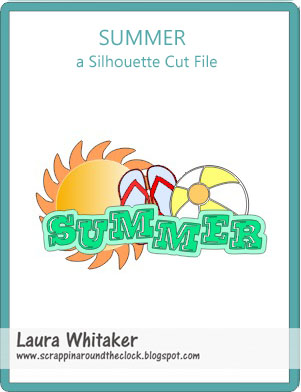
Summer - a Silhouette Cut File

Hi there!

Laura here with a Silhouette cut file to share, hope you enjoy it!

https://app.box.com/s/hra8nyjjtgpmus46bobn

Thanks for visiting!
Laura
xo

Sunday, May 4, 2014

A Silhouette Cut File Freebie - Mother's Day Card

Hi there!

I have a new cut file to share with you, to help you create something for Mom!

https://app.box.com/s/mceagn9im8138ktl2tym

Click on the image to be taken to my download site.

Enjoy and thanks for visiting!
Laura
xoxo

Sunday, April 20, 2014

Free Silhouette Cut File - Spring Icons

Hi there!

I am sharing this freebie Silhouette cut file that I created,  it is a sort of compilation of all things Spring.

I hope you enjoy it, click on the image to be taken to my download page.

https://app.box.com/s/sgqa6xxcdktu9dsfm4mv

Thanks for visiting!
Laura
xoxo

Saturday, April 19, 2014

Silhouette Cameo Tweed Rolling Tote

Hi there!

We know that some of you were looking for these, so we thought we would let you know they are now back in stock!


Carry and store your Silhouette Cameo in this stylish rolling tote. The tote features a telescoping handle and wheels for easy rolling as well as handles for carrying. There is plenty of room for a Cameo, laptop, cutting mats and accessories.

You can call us at 905-730-2673 or email us at scrapmuch@rogers.com to reserve yours today!

Thanks fro visiting!
Your friends at ScrapMuch?